Company
Jeppesen ForeFlight
Product
Analysis Workspace (JAWS)
Timeline
2024–2026
Domain
Aviation · B2B Enterprise SaaS
Problem
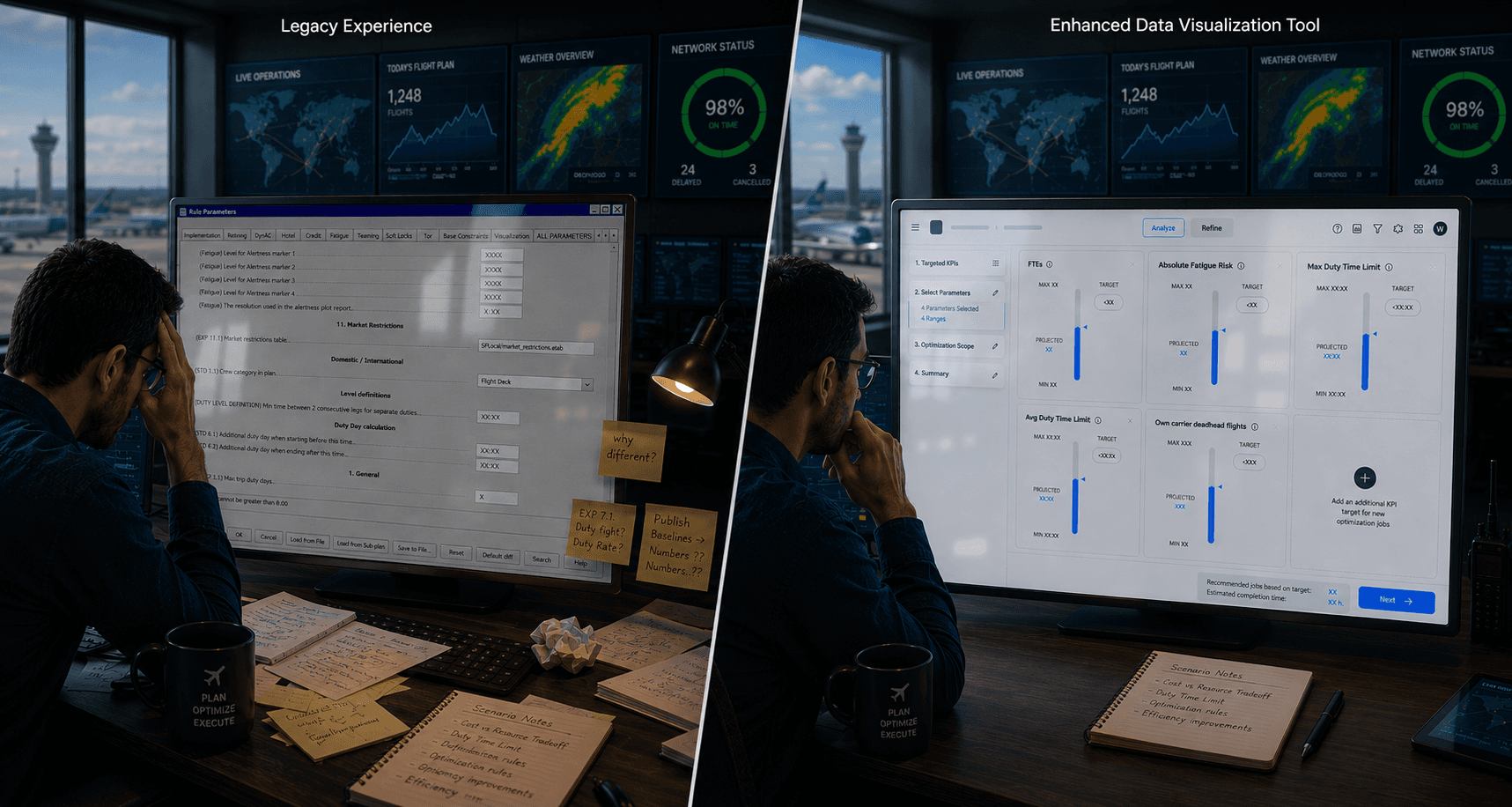
A cell-based legacy workflow forced Excel dependency, scattered files, and no traceability when comparing scenarios
Approach
Split workflow into Analyse + Refine, make multi-run the default, add trade-off comparison
My role
Senior Product Designer
Research lead
Strategy
Design
Shipped beta
Solution
Native analysis layer shipped to beta
Reduction in time-to-insight
Validated with 6+ airlines across CAB series
Center multi-scenario comparison tool for whole offer
01 The Problem
A powerful optimizer trapped inside a legacy Excel workflow
Every month, without exception, crew planning teams at commercial airlines face the same high-stakes challenge: finding the optimal configuration of pairings and rosters across entire fleets. The margin for error is narrow. The operational consequences are real. And the clock resets in thirty days.
Jeppesen's crew optimization suite is built around a clear sequence: model the rules in Rave, run the optimizer, then compare outcomes in Analysis Workspace. The optimizer was technically capable, but the analysis layer around it had become the bottleneck. Scenarios were configured and reviewed one at a time, then translated by hand into Excel. Configurations scattered across files with little traceability.
It wasn't only a usability problem. It was a confidence problem.
Without a visual way to compare options inside the tool itself, planners were exporting to Excel, building one-off spreadsheets, and stitching context together by hand. The result was hours of work that should have been minutes, and decisions made with less certainty than the data could have offered.
02 The Starting Point
A redesign in progress, but without the user understanding to make it work.
Analysis Workspace had been in development for two years when I joined. There was no shared map of where it was heading. Knowledge lived in people's heads, not in documentation. Before any design work began, the priority was extracting it: running sessions with leadership to surface assumptions, align the team, and turn scattered thinking into a single direction.
From that point I led UX end-to-end: daily work with the Product Owner, strategy conversations with leadership, and co-leading the customer engagement programme across six airlines through four CAB sessions, industry conferences, and onboarding visits.
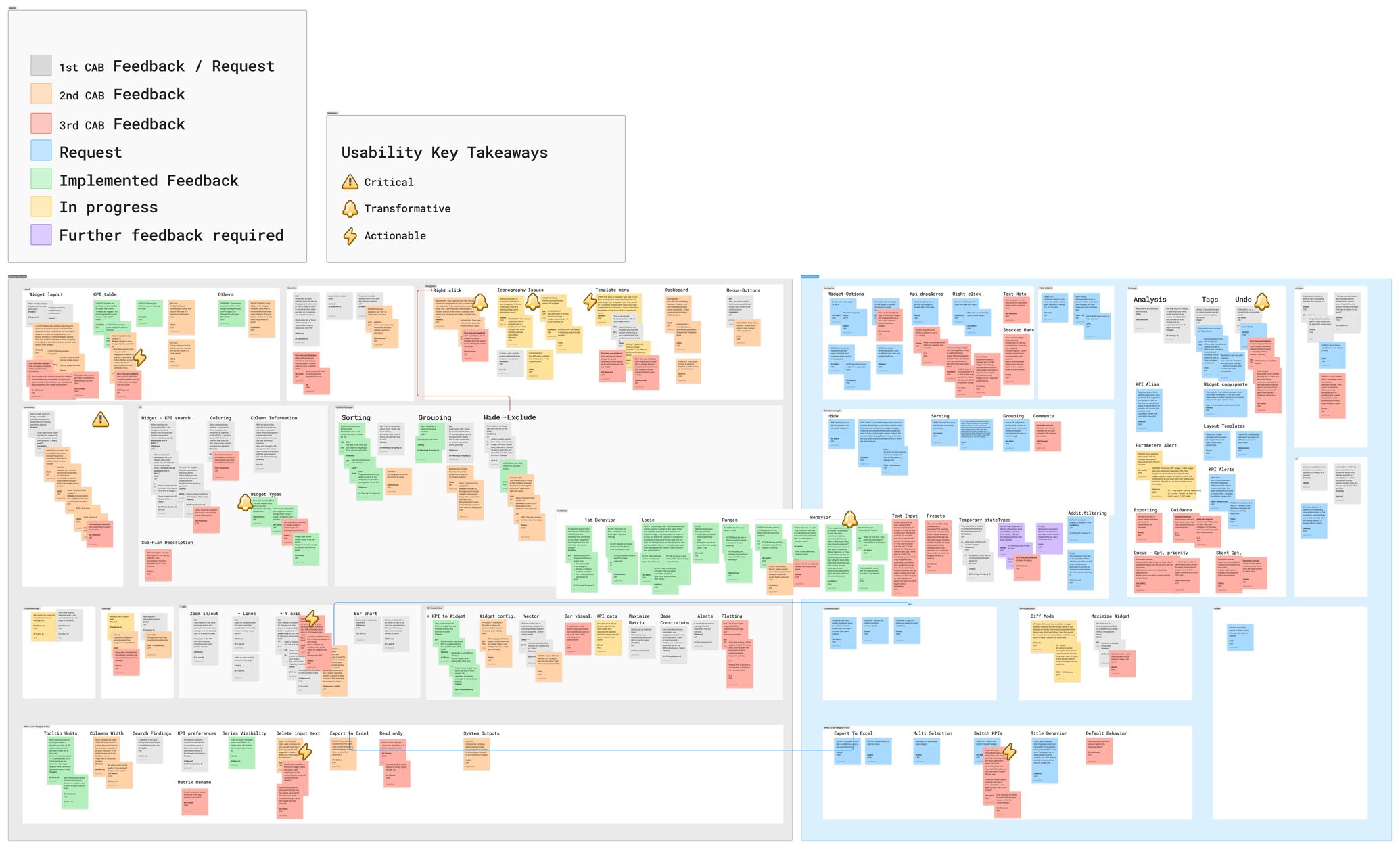
Combined Affinity Map from CAB series. A report and prioritized summary would be exchange and used with leadership to address feedback.
03 Discovery
Understanding a domain you can’t learn from documentation
Crew planning is a specialised field. Its vocabulary takes time to earn. I worked across four research surfaces in parallel:
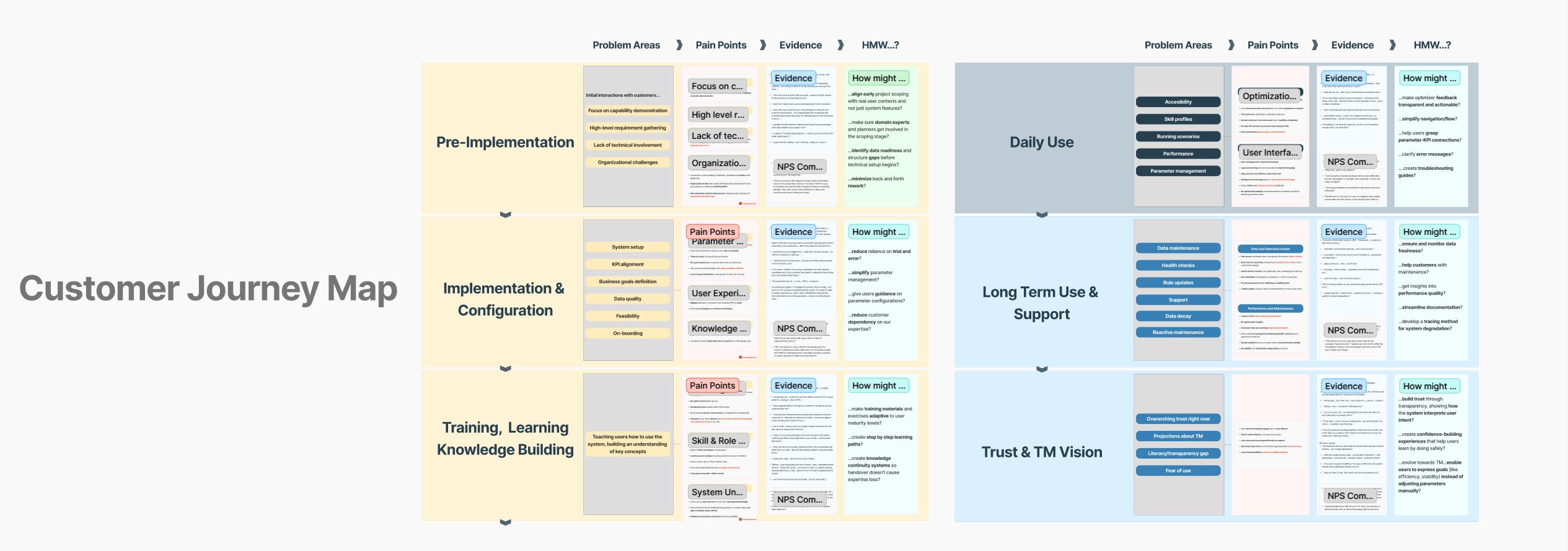
The synthesis produced a Customer Journey Map spanning the full product lifecycle: six phases, from Pre-Implementation to Trust & TM Vision.
04 Scoping & Design
Deciding what to solve, and what to leave for later
One of the most consequential decisions wasn't a design decision. I mapped every identified problem against what could realistically be addressed in Phase 1, and documented the ones that couldn't, with a rationale.
In scope: Phase 1
Navigation clarity: new form and navigation patterns
Parameter discoverability: templates and grouping
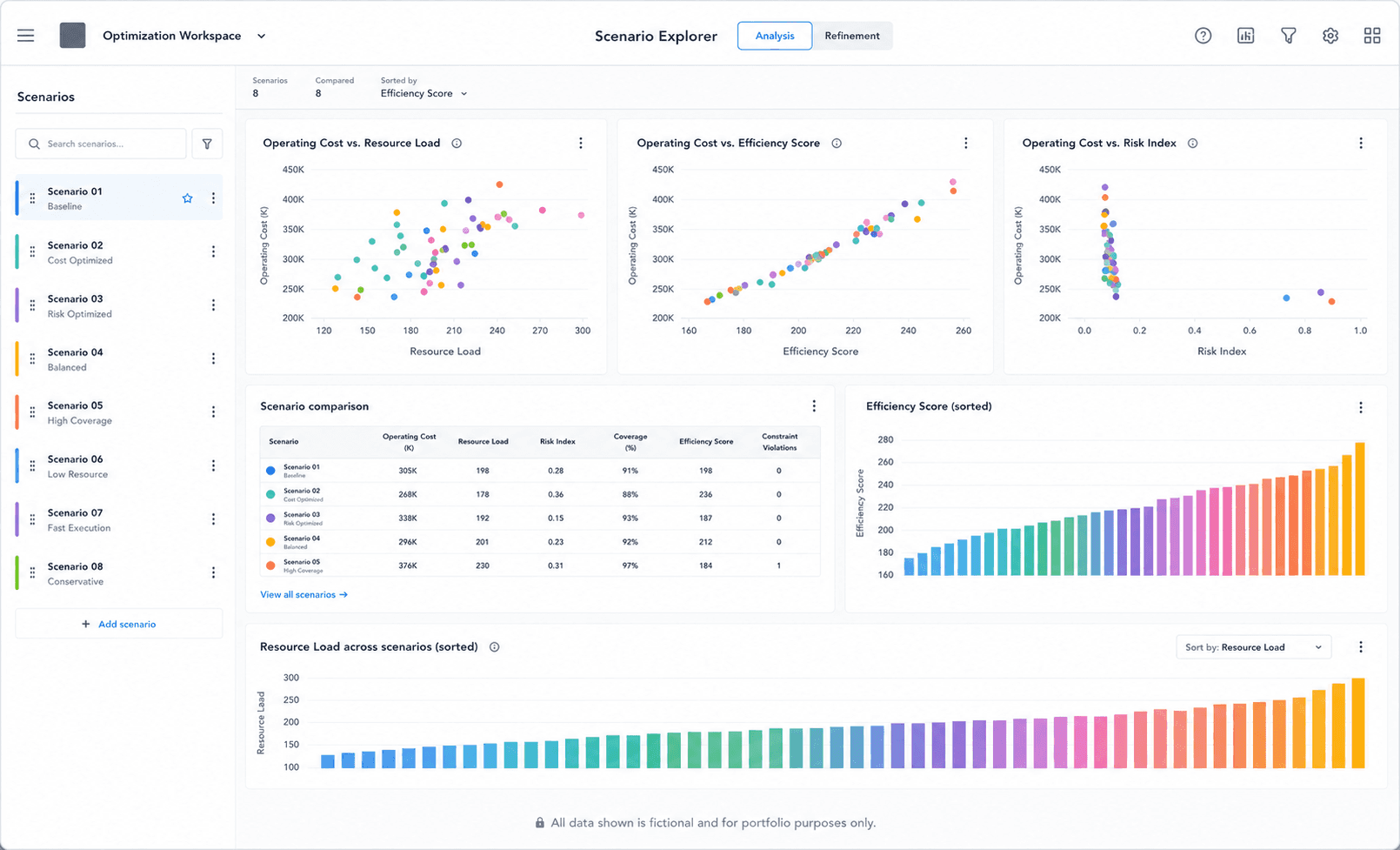
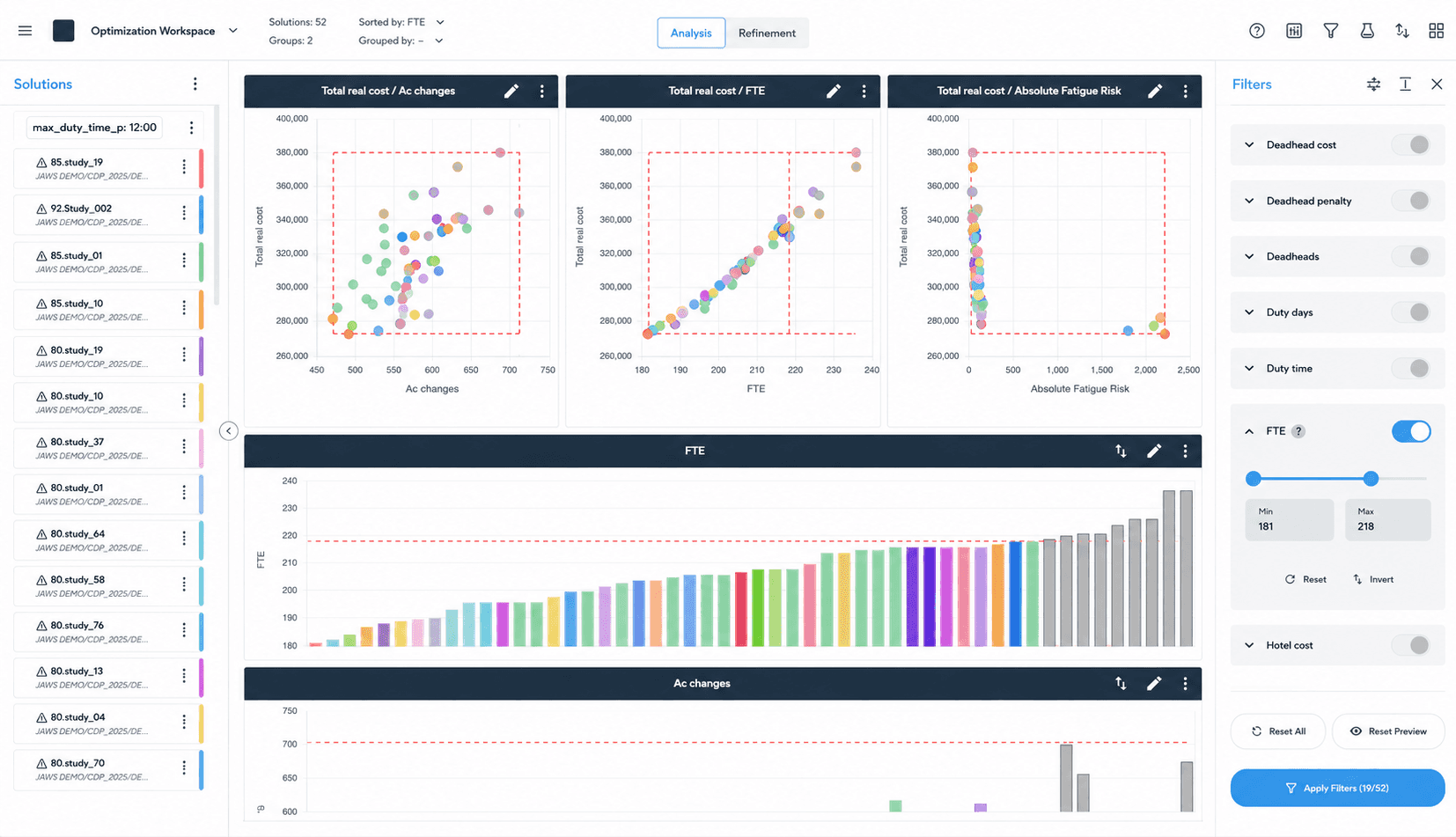
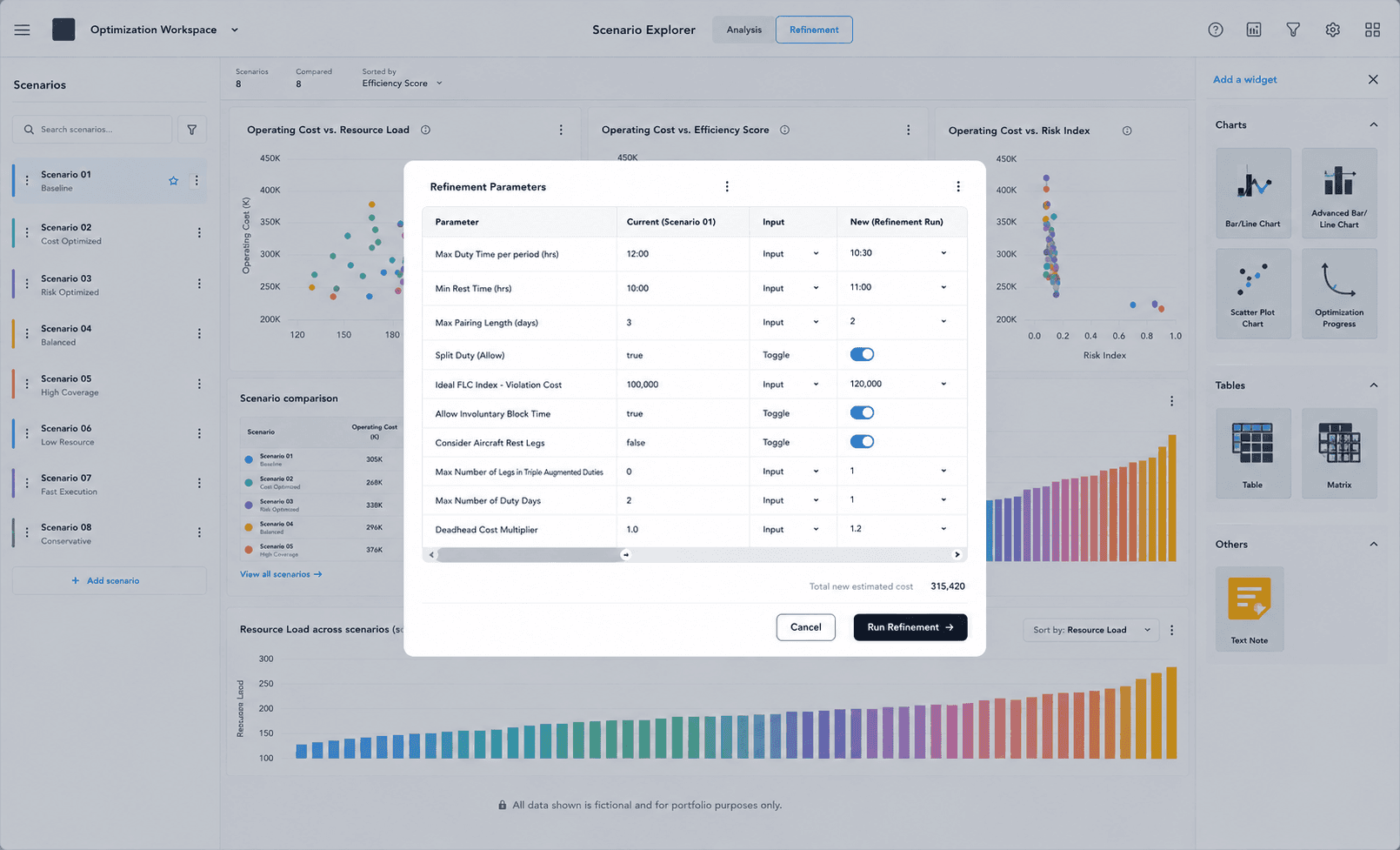
Scenario comparison: multi-run as default, side-by-side trade-off analysis
Deliberately deferred
KPI-driven configuration: Phase 2
ML-driven optimization insights: Phase 3 to 4
E-table management: after Phase 2
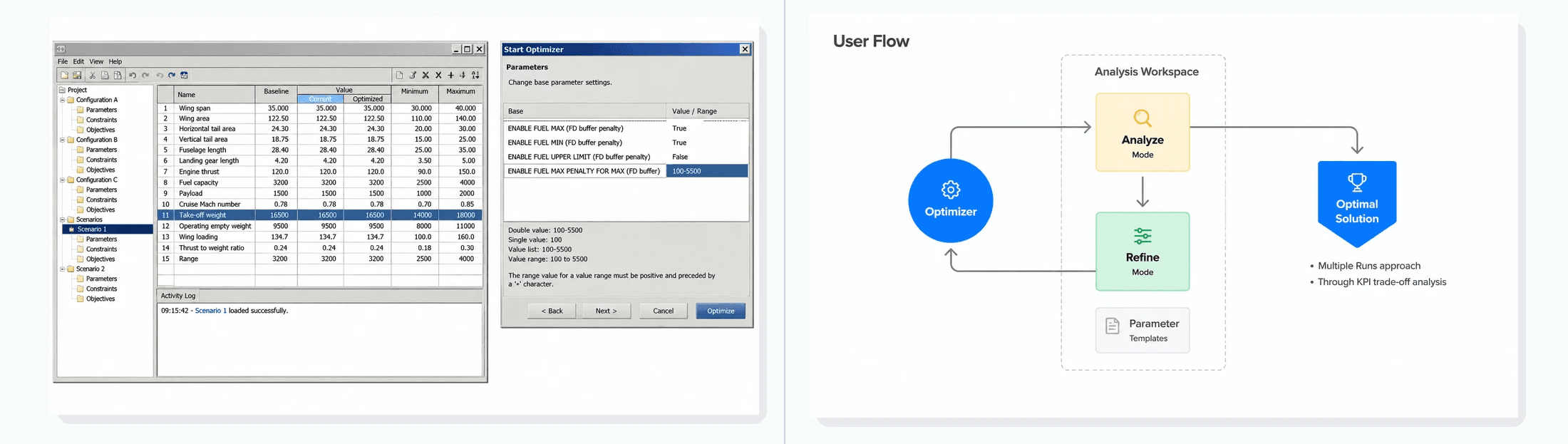
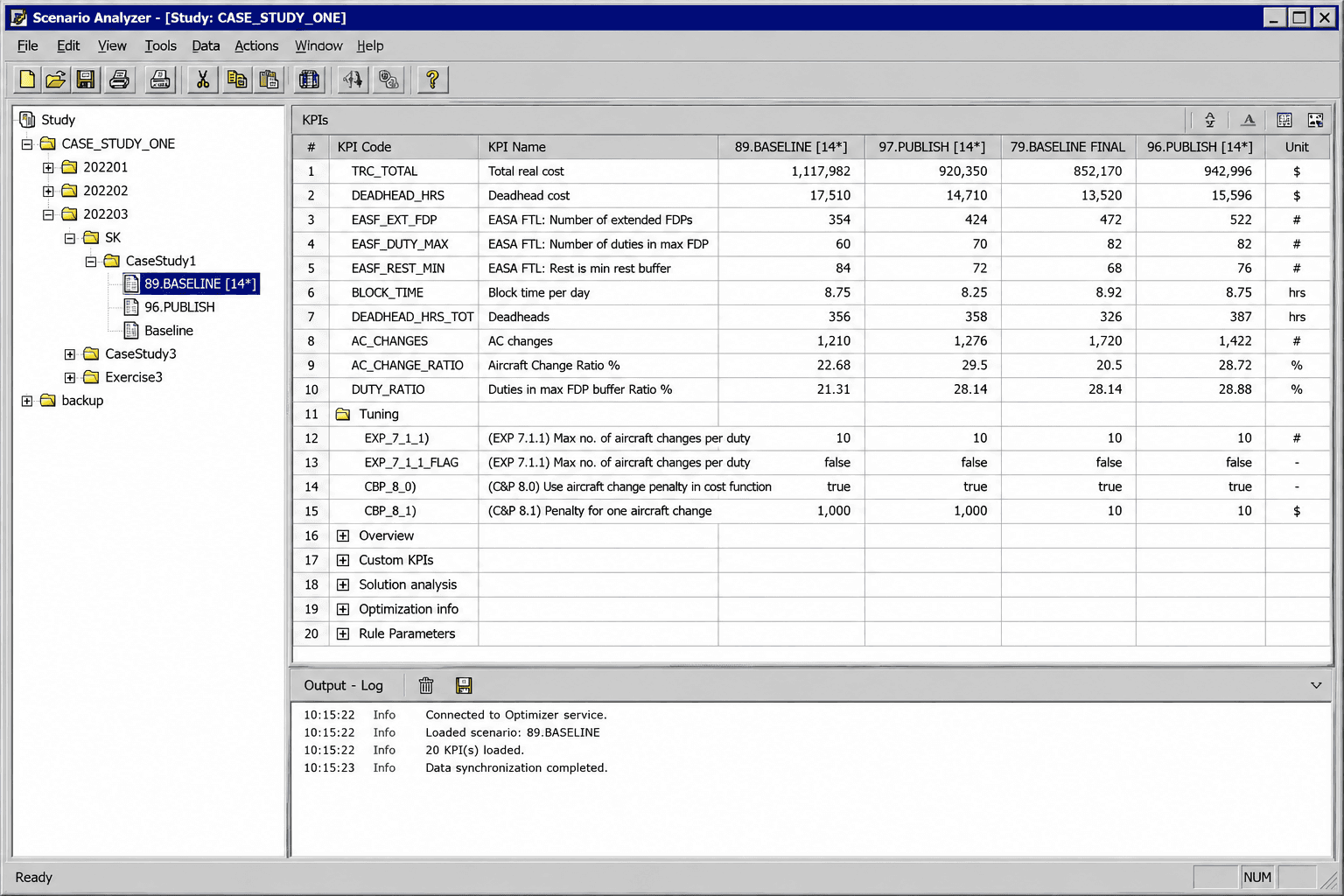
Before and after. Left: the legacy flow, where starting an optimizer job meant leaving the analysis context behind. Right: the redesigned flow. Recreated for portfolio purposes; values and labels have been generalized to protect confidential project data.
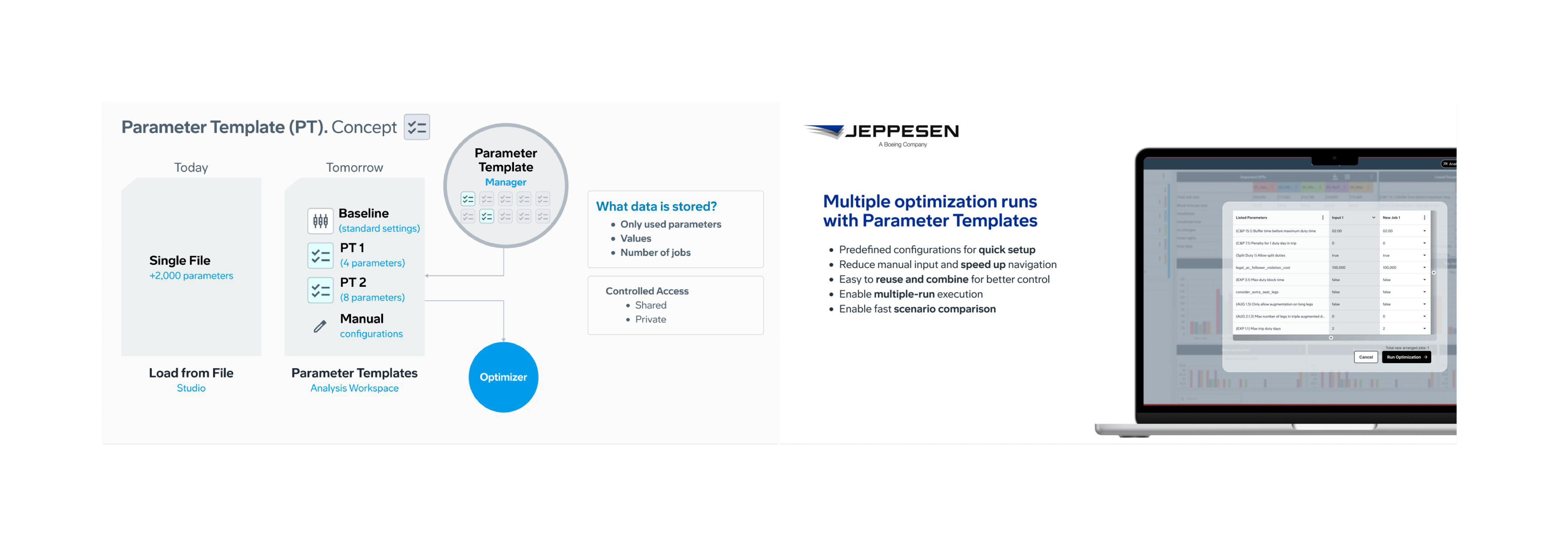
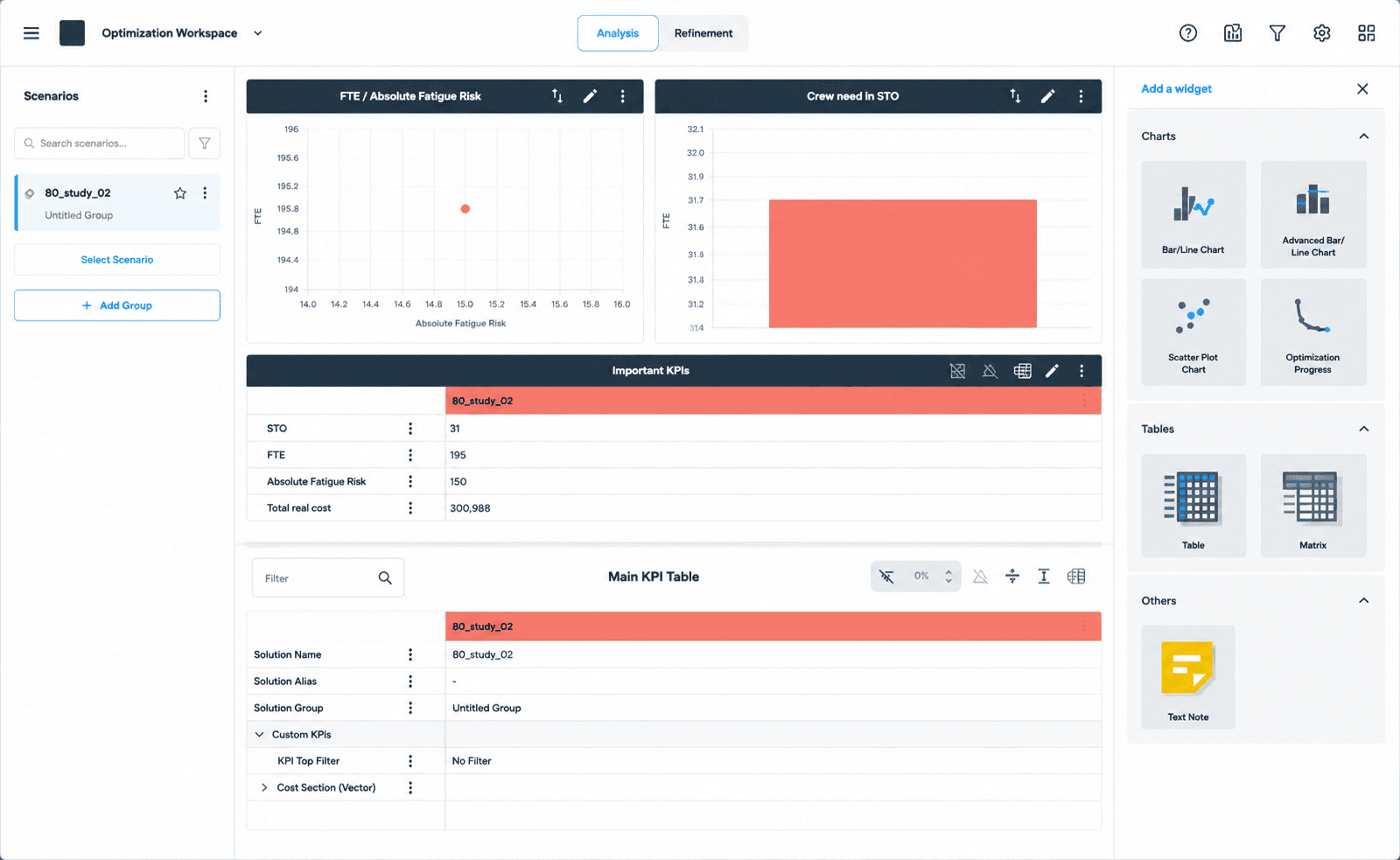
Parameter Templates: from predefined configurations and multi-job launches, to composable shareable templates storing only what matters for each scenario, feeding directly into optimization jobs. Recreated for portfolio purposes with generic values.
05 Outcome
A shift in what planners believed was possible
JAWS launched in late 2025 as a beta with five airlines. Without extended training, planners ran multi-scenario comparisons within their first session. A full day of manual work became under an hour.
By comparing solutions side by side on quantifiable metrics (overtime pay, crew rest distribution, fatigue impact), Analysis Workspace let planners choose the best course of action with confidence, not just the best solution for a single scenario. Across its crew optimization suite, Jeppesen reports airlines typically see cost and efficiency gains between 3% and 15%.
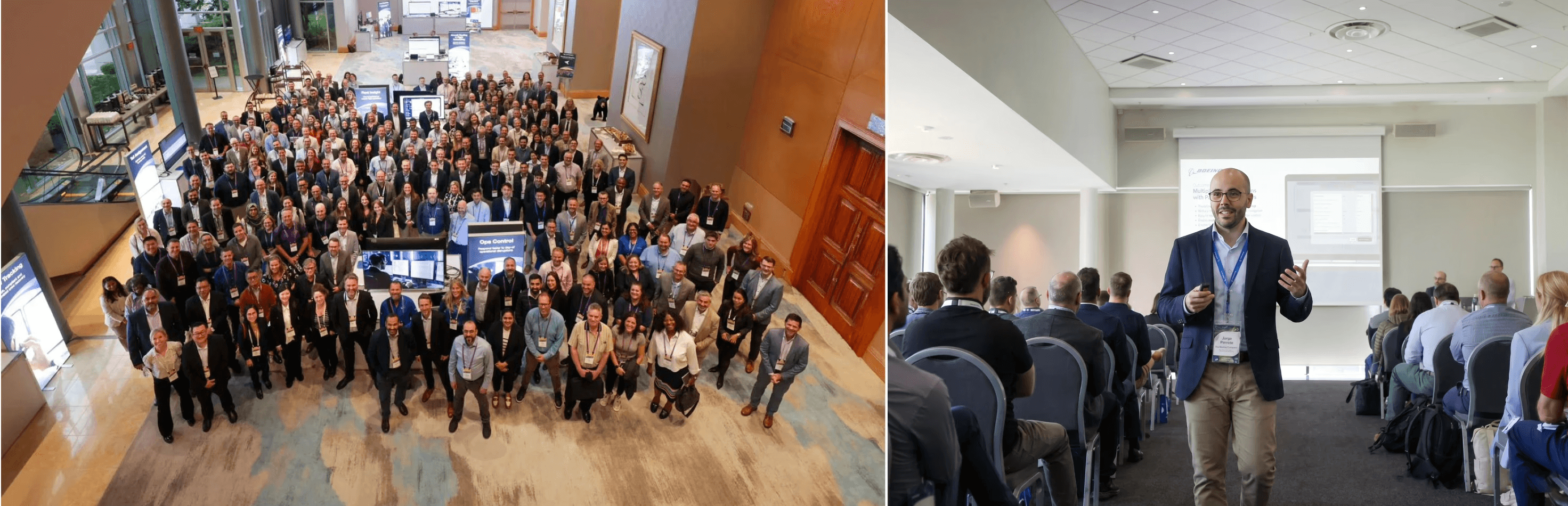
CDP 2025, Vancouver. Around 120 aviation professionals attended the live demo. Multiple attendees photographed the screen during the session.
Across four CAB sessions over twelve months, three signals held up consistently on real planning data:
60%
of planners ran 7+ iterations before publishing a plan
120
aviation planners, analysts and managers at the live demo. Hundreds more joined via webinar
4
CAB sessions over 12 months on real airline planning data
01
02
03
04
05
What it took
Where this one stretched me: framing a problem in a domain I didn't speak yet, building the evidence base from NPS, CABs and CDP polling across 120+ users, and holding the line on scope, deciding what Phase 1 would not solve, and writing down why.
Phase 1 closed with a clear handover. The workflow problem was solved; the configuration problem upstream of it, how planners decide which parameters to touch in the first place, was still waiting. Case Study 02, KPI-driven optimization picks up that thread.
07 Reflection
On shipping something that works
JAWS took four years from first concept to beta. Sustained customer engagement (CAB, conferences, onboarding) was what kept the product honest. Before closing discovery, I worked with the team to define a value and success tracking framework: success criteria, failure conditions, evidence requirements, ownership. Treating a launch as a hypothesis, not a release date. A habit I carry into every product conversation.
What mattered most wasn't any specific feature. It was watching planners who had spent years working around the tool start, for the first time, working with it.
If I were doing it again, I'd push harder on the onboarding experience before launch, a design gap we knew about and didn't fully resolve in time.